

How to Write a Thesis Statement in 5 Minutes Using an Online Tool
Stuck at the blank page?
I know the feeling.
You open a document.
The cursor blinks like it’s mocking you.
A thesis statement should feel simple.
Yet it often feels like quicksand.
The more you think, the deeper you sink.
That’s why online thesis tools exist.
They save time.
They reduce stress.
In this guide, I’ll show how to write a clear thesis statement in five minutes.
No guesswork.
No long thinking loops.
Along the way, I’ll show where visuals help.
I’ll also point out where data fits best.
Everything stays clear and practical.
What’s a thesis statement, really?
A thesis statement is one clear sentence that states your main point and why it matters. It tells the reader what you’ll argue and how you’ll support it. In academic writing, this sentence sets direction, keeps focus, and prevents your paper from drifting off-topic.
That’s the core idea.
Nothing fancy.
Just focus and direction.
Think of it like a GPS pin.
Without it, you wander.
With it, every paragraph knows where to go.
Why five minutes is enough
You don’t need an hour.
You need clarity.
Online tools give that fast.
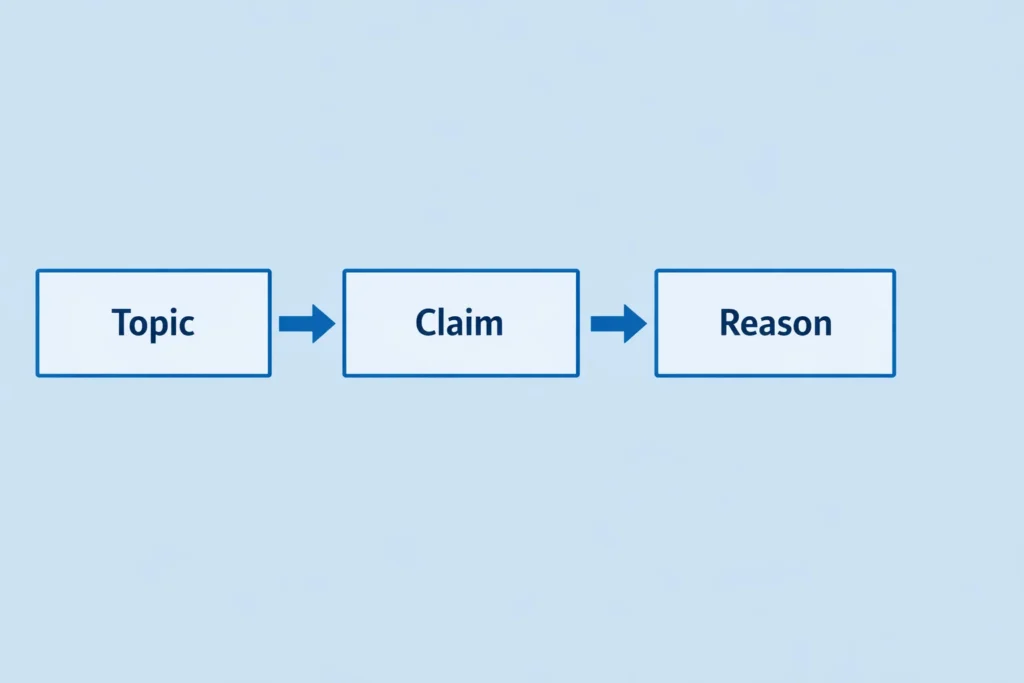
Most tools follow a pattern.
They ask for your topic.
They ask for your angle.
From there, they suggest sentences.
You pick one.
You tweak it.
That’s why five minutes works.
Speed comes from structure.
Not from rushing.
A recent analysis of academic writing research found that over 60% of students experience confusion or structural difficulty during thesis development, which often delays completion of their papers. Research shows that students struggle with thesis writing, which often causes delays in completing academic papers.
Can an online tool really help?
Yes. An online thesis tool helps by turning your topic and stance into a clear sentence within minutes. It reduces mental load, keeps structure tight, and prevents vague claims. Used correctly, it produces a solid starting point that meets academic rules without extra effort.
That’s the fact.
No hype needed.
Just function.
The key lies in how you use it.
Garbage in gives garbage out.
Clear input gives clear output.
Step 1: Pick one clear topic
Start small.
Not broad.
Not fuzzy.
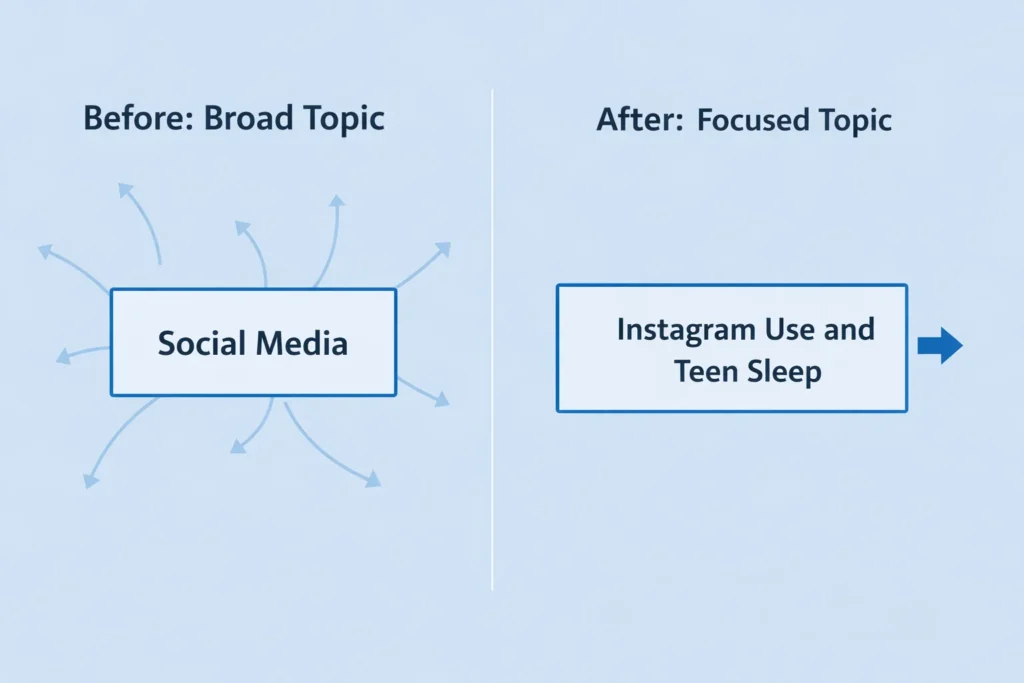
Instead of “social media,” try this.
“Instagram use and teen sleep.”
It’s tight.
It’s usable.
That’s fast.
When I rush this step, tools fail me.
When I slow down here, results click.
Step 2: Decide your stance fast
Ask one question.
What do I want to prove?
Not ten ideas.
Just one.
For example:
“Instagram use reduces teen sleep hours.”
That’s a stance.
It’s clear.
It’s direct.
Tools need this.
They can’t guess your point.
You must give it.
Step 3: Choose the right tool
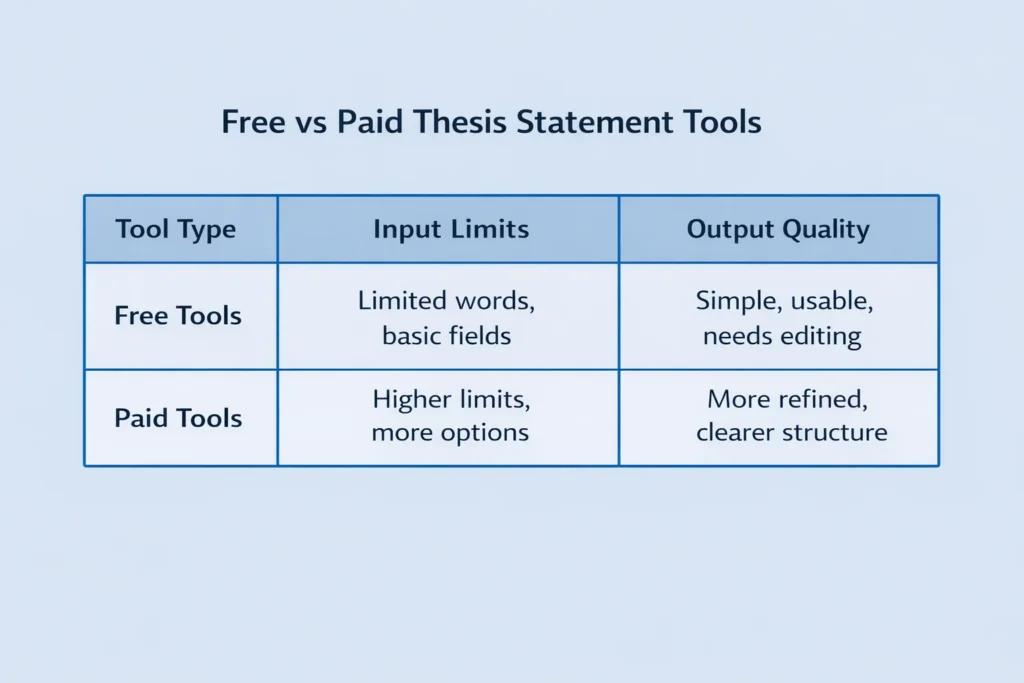
Not all tools work the same.
Some focus on essays.
Others fit research papers.
Look for these basics:
A topic field.
A claim field.
A reason field.
Skip tools that feel cluttered.
Simple screens save time.
Busy ones slow you down.
Step 4: Enter simple inputs only
Here’s what I type.
One line per field.
Topic: Instagram use and teen sleep
Claim: Reduces sleep hours
Reason: Late-night scrolling habits
That’s it.
No long sentences.
No filler words.
The tool does the rest.
You stay in control.
You save minutes.
Step 5: Review the generated sentence
Don’t copy blindly.
Read it once.
Read it again.
Check three things.
Is it clear?
Is it specific?
Or arguable?
If yes, keep it.
If not, adjust one phrase.
Never rewrite from scratch.
This step takes under a minute.
Yet it makes all the difference.
A real example in action
Here’s a sample result:
“Frequent Instagram use reduces teen sleep hours by encouraging late-night screen habits that disrupt rest patterns.”
That works.
It’s clear.
It’s focused.
Would I tweak it?
Maybe one word.
But the base stands firm.
That’s five minutes done.
Paper unlocked.
Stress lowered.
Where students waste the most time
I see this mistake often.
Overthinking wording.
Chasing perfection.
A thesis isn’t poetry.
It’s a guidepost.
It points, not performs.
Tools stop this loop.
They cut decision fatigue.
They keep momentum alive.
How to fix weak tool results
Sometimes outputs feel off.
That’s normal.
Here’s the fix.
Change one input only.
Not all fields.
One at a time.
Adjust the claim.
Or adjust the reason.
Watch results sharpen fast.
Think of it like seasoning food.
Add salt slowly.
Taste between steps.
Does this work for all subjects?
Yes. Online thesis tools work across subjects because they follow the same structure. Whether the topic is literature, science, or social studies, the tool maps a claim to a reason. That structure fits standard academic formats used in schools and colleges.
That’s why teachers accept them.
Structure stays standard.
Tone stays neutral.
Just keep language academic.
Avoid slang.
Avoid personal stories inside the thesis.
When not to use a tool
Tools help drafts.
Not final thinking.
If your professor gives a fixed prompt, be careful.
Some prompts limit stance choice.
Read instructions first.
Also avoid tools for personal reflection papers.
Those need voice.
Not templates.
Use tools wisely.
Not blindly.
That balance matters.
Why this method sticks
I’ve used it myself.
Late nights.
Tight deadlines.
Five minutes saved feels small.
But momentum gained feels huge.
Once the thesis exists, writing flows.
Paragraphs align faster.
Confidence rises.
That’s the hidden win.
Not the sentence.
The momentum.
Final thoughts
Writing a thesis doesn’t need drama.
It needs structure.
It needs speed.
Online tools give both.
Used right, they guide without control.
They support without replacing thinking.
Next time the cursor blinks at you, smile.
Five minutes later, you’ll move on.
That’s progress.
Writing a thesis statement doesn’t have to slow you down.
If you want a quick and clear starting sentence, use my Thesis Statement Generator.
It gives you structure, saves time, and helps you move forward with your paper.